Make ad management more efficientMake campaign performance clearer
View ad spend and results together, and connect product promotion, bulk adjustments, and activity review to manage daily campaigns more efficiently.
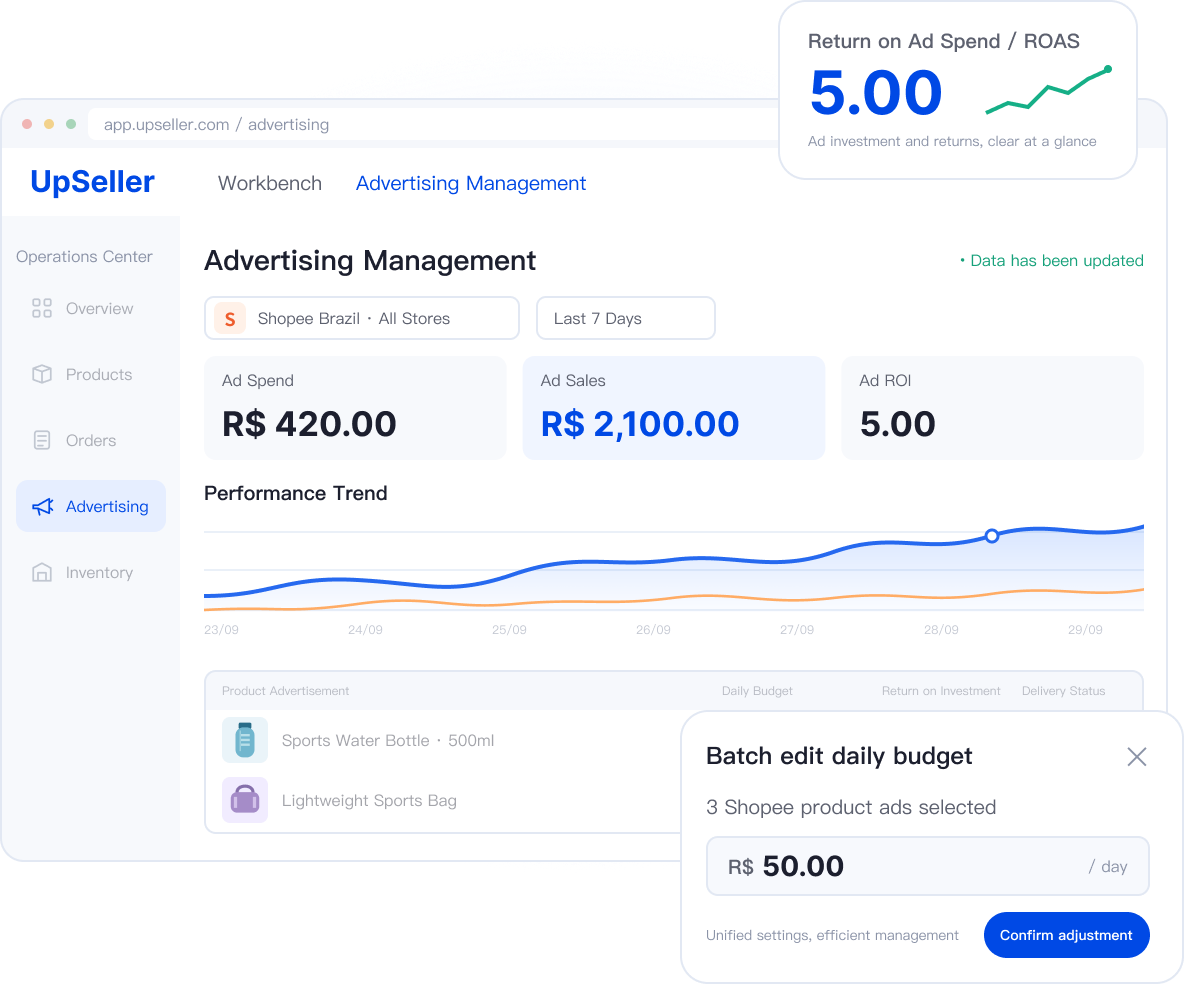
Platforms supported by ad management

Shopee product ads; store and ads authorization must be completed, and platform eligibility requirements must be met.
Do you face these ad management challenges?
Scattered data, repetitive campaign maintenance, and hard-to-track changes take time away from ad operations.
Scattered Information
Without a unified view of spend, sales, and return, it is difficult to compare investment with results or make informed campaign decisions.
Low Operational Efficiency
Product details, budgets, and bidding strategies are prepared separately; repeated checks delay new ads.
Difficult Risk Control
When multiple ads need the same changes, handling them one by one takes more time and increases the risk of omissions.
Difficult Record Tracking
Performance changes are hard to match with past adjustments, leaving teams without clear records of what changed, who made the change, or whether it took effect.
View performance in one place
See spend, sales, and return together for a clearer view of results.
Create ads efficiently
Manage products, budgets, and bidding strategies together to reduce repeated preparation.
Make changes in bulk
Maintain groups of ads together instead of changing budgets and statuses one by one.
Review changes in the logs
See who changed what, when, and with what result to support team review.

From performance review to campaign changes, all in one workspace
Understand spend and results, manage daily campaigns, and trace every adjustment.
From Overall Trends to Individual Ads Gain Clear Insights into Ad Performance at Every Level
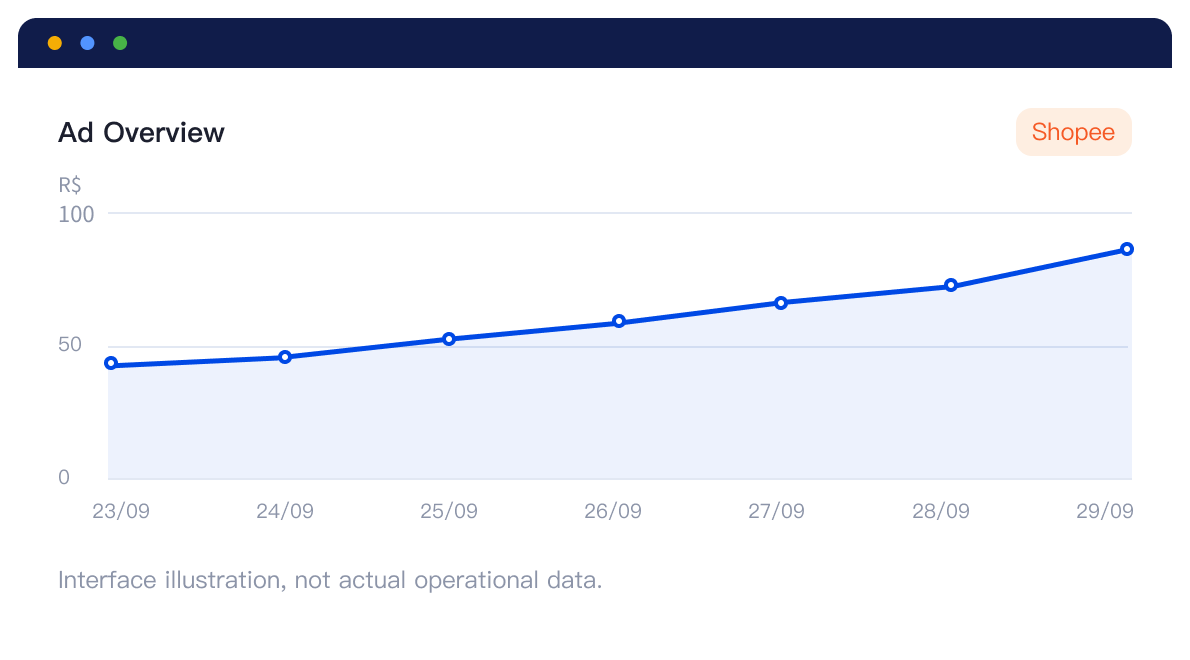
Connect overall performance with individual ads to see both the full picture and each ad’s spend and results. Start with the overall trend, then identify what needs attention. Spend, sales, and return are shown together, with total and directly attributed performance providing complementary views of campaign changes.
Create product ads in one placeSpend less time preparing campaigns
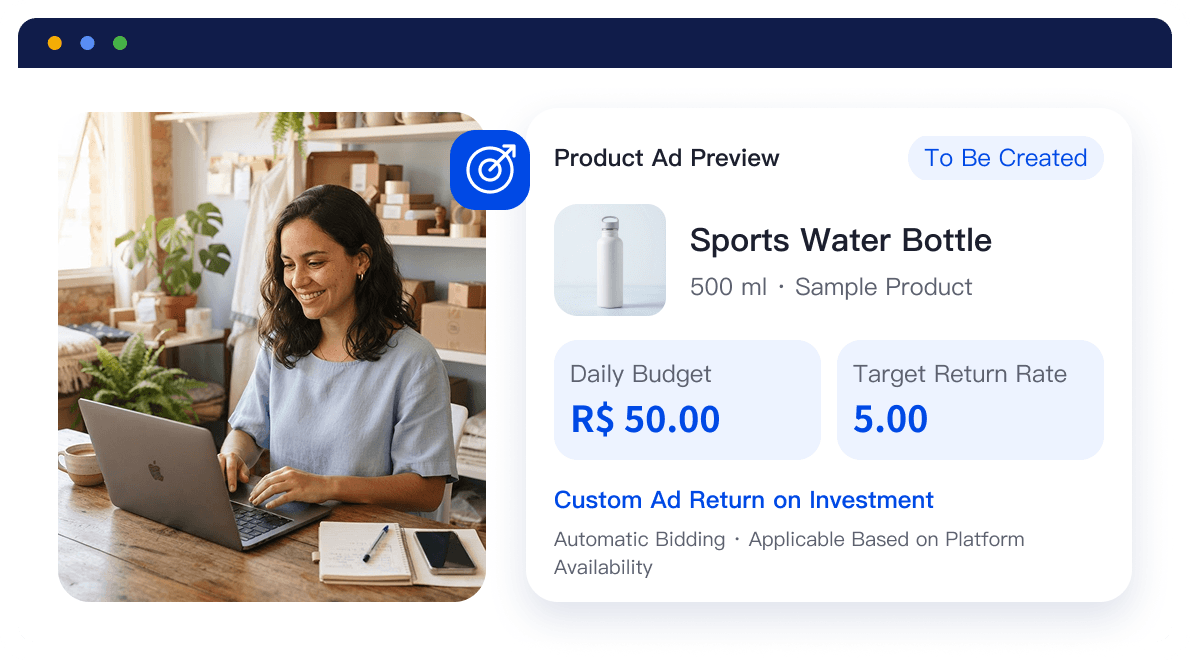
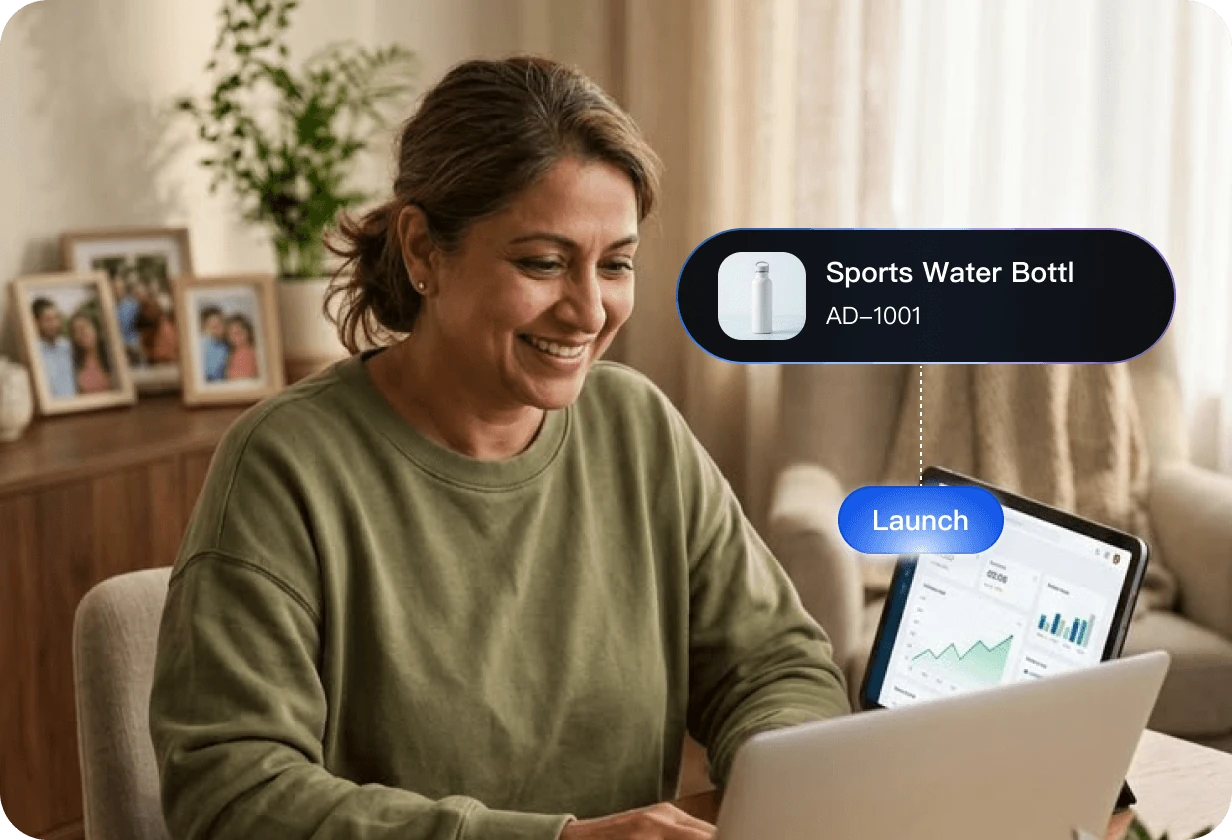
Manage product details, ad budgets, and bidding strategies together to reduce scattered information and repetitive setup.
 Link store and product information so promotion targets are clear
- Manage budgets and campaign goals together to organize resources
- See available bidding strategies within the platform’s supported scope
From product selection to launch, reduce setup work and put promotion plans into action faster.
Adjust budgets in bulkReduce repetitive maintenance
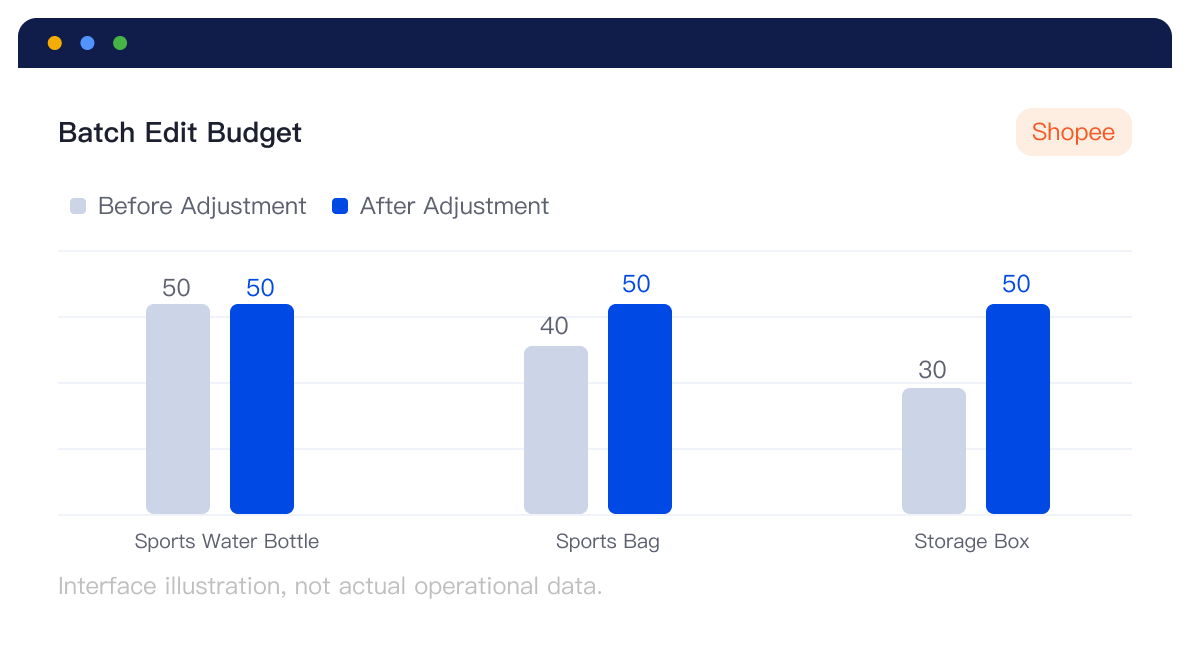
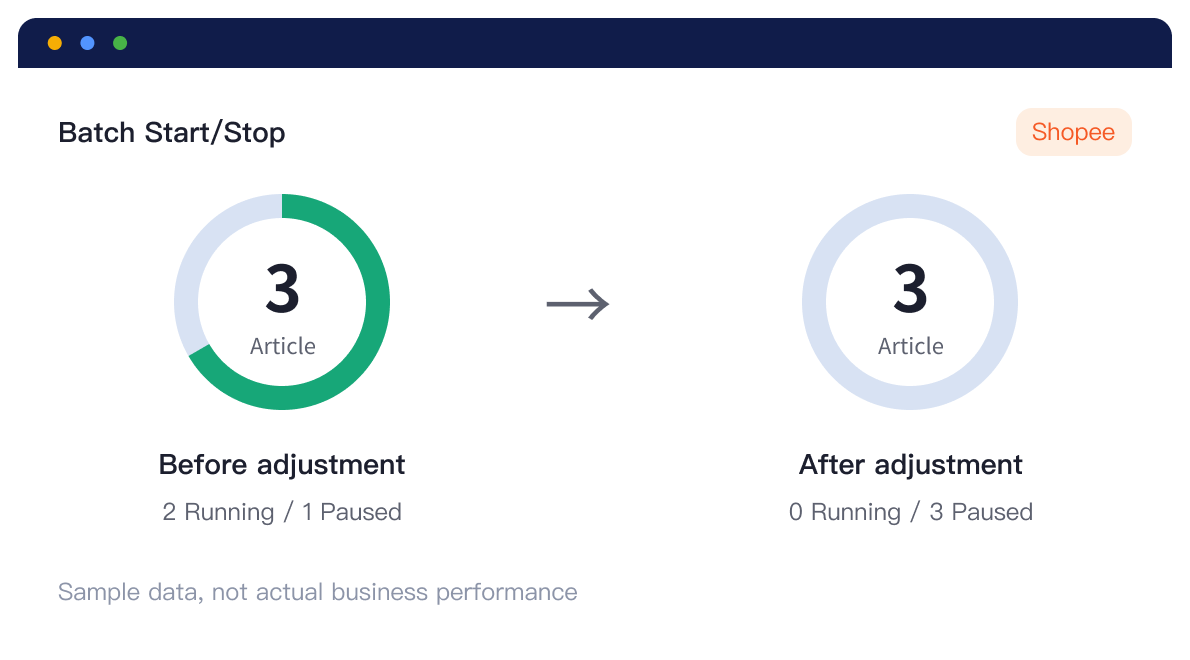
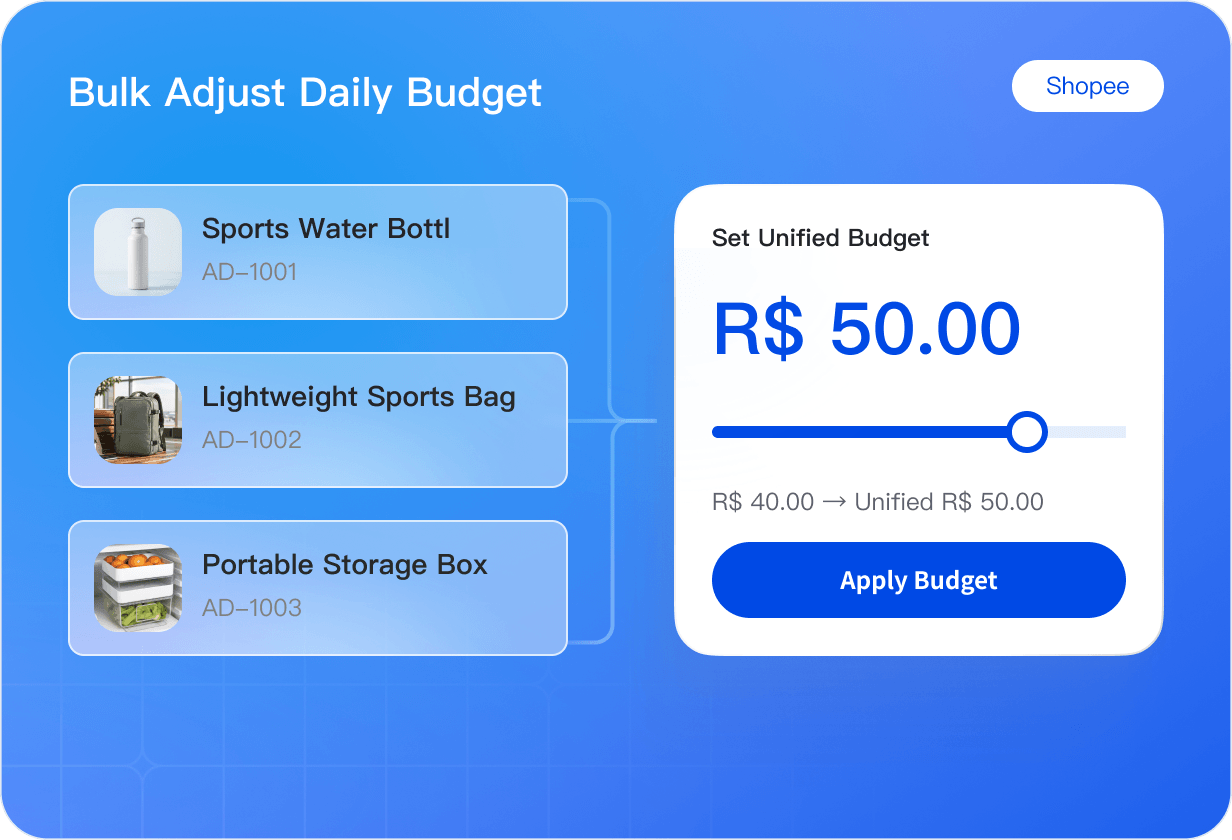
Maintain budgets and delivery statuses for a group of ads together, avoiding one-by-one changes and saving time.
- Combine individual changes with bulk budget maintenance for different needs
- Enable or pause ads together to reduce repetitive work
- See results clearly and follow up on changes that did not succeed
Spend more time making decisions and handle repetitive tasks in bulk.
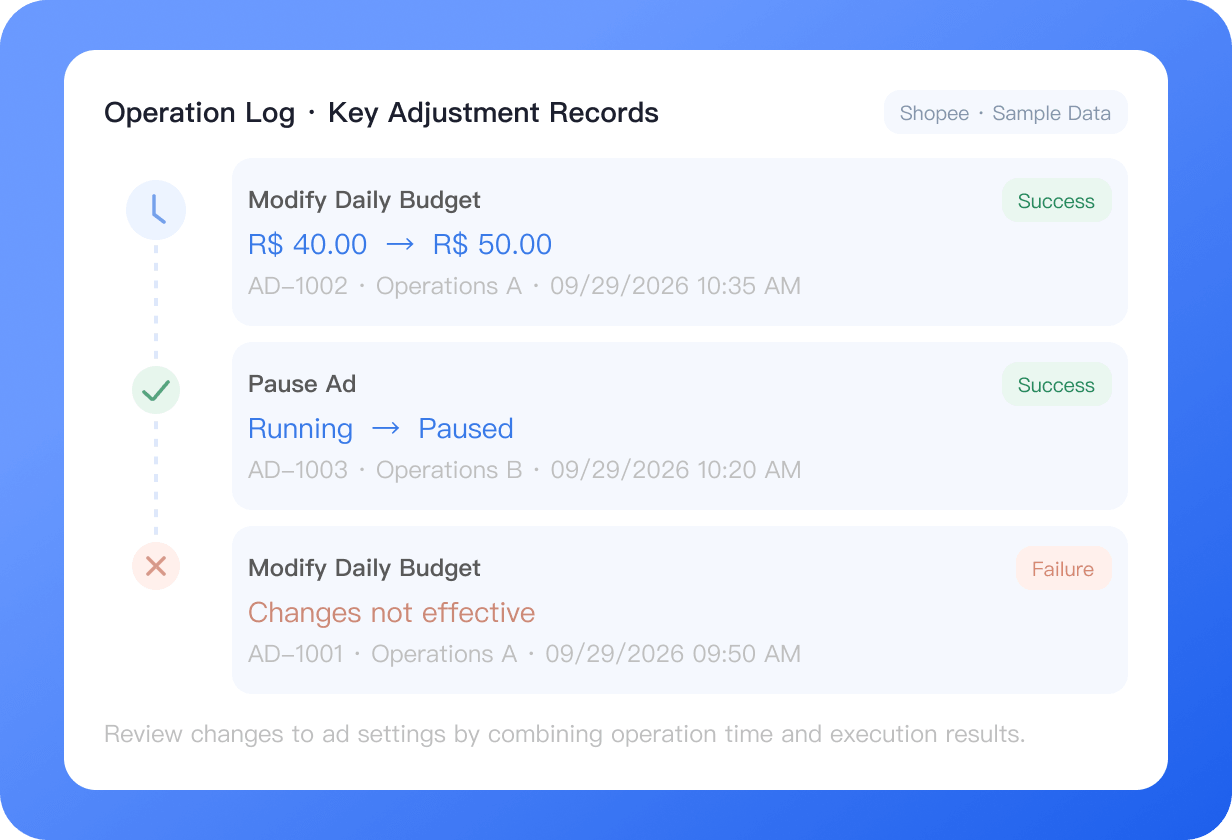
Trace key changes.Make team reviews smoother
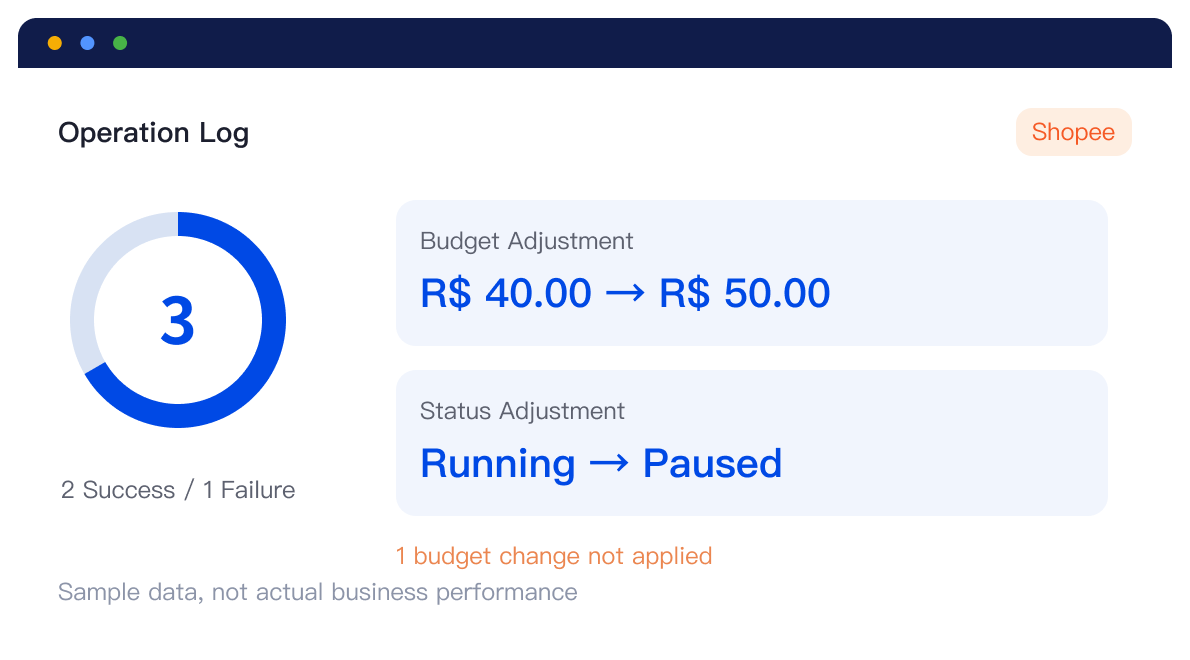
Link key changes to operators, times, and results so teams can trace ad settings, hand over work, and review decisions.
- Clearly link key actions to responsible team members
- Clearly distinguish successful and failed results
- Compare past adjustments with changes in campaign delivery
With a clear record of changes, teams can work together more smoothly.
Why use UpSeller to manage ads?
Reduce repetitive tasks and make every campaign adjustment with clearer information.

View spend and results together
See spend, sales, and return together to assess ad performance more easily.

Prepare product promotion more efficiently
Manage products, budgets, and strategies together to reduce repeated setup and missing information.

Handle repeated changes in bulk
Update budgets and delivery statuses together for more efficient daily maintenance.

Keep a record of adjustments
Record operators, times, and results to support team follow-up and review.
Frequently Asked Questions (FAQ)
Learn about availability, authorization requirements, and ad metrics.
This page presents Shopee product ad management. The launch date, store eligibility, and available features are subject to the official release and what appears in your account.



 Mercado Libre
 Shopee
 Amazon
 SHEIN
 TikTok Shop
 TEMU
 Falabella
 AliExpress
 Magalu
 Kwai
 Americanas
 Walmart
 Shopify
 Nuvemshop
 WooCommerce