
BR
Brazil
Local Delivery With Multiple Shipping Options
 Melhor Envio
 Correios
 Envia
 AnJun
 J&T Cargo
Authorize 400+ overseas warehouse providers and connect with local Latin American logistics services. Automatically push orders, sync inventory, and assign logistics services to improve warehouse and shipping operations.
 400+ Overseas Warehouse IntegrationsAutomated Order FlowLocal Logistics Integrations
UpSeller connects warehousing, logistics, and order processing with overseas warehouse providers and local carriers.Manage fulfillment without switching between systems.

Connect with overseas warehouse providers for local stock, fulfillment, and multiwarehouse management.

Automatically send orders to the assigned overseas warehouse to reduce manual work and improve fulfillment efficiency.

Connect with local carriers, obtain tracking numbers and shipping labels automatically, and simplify dispatch.
Connect with overseas warehouse providers in Latin America for local storage, inventory management, and fulfillment.
Authorize third-party overseas warehouse providers in UpSeller to send store orders to the right warehouse and sync inventory and order status.
Use local warehouse stock and fulfillment to shorten delivery times, reduce fulfillment costs, and meet delivery expectations in Latin America.
Connect an Overseas Warehouse →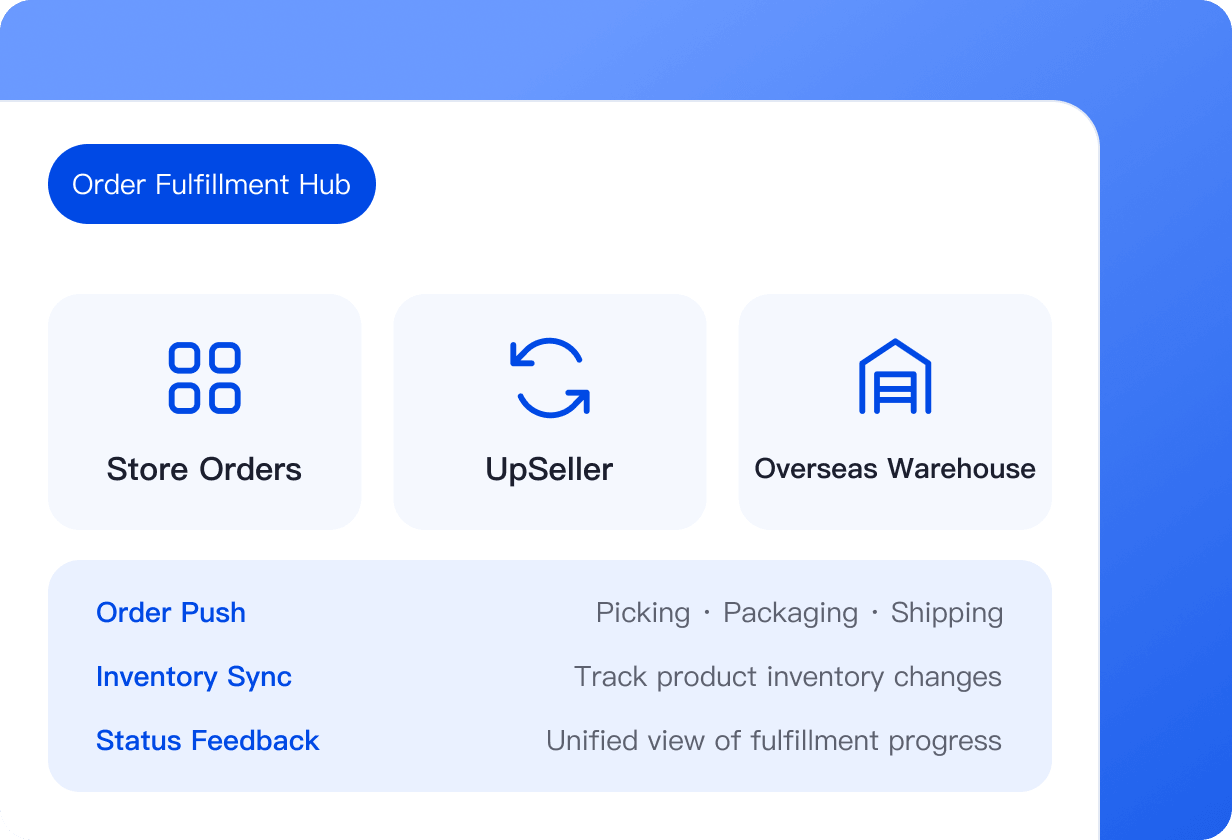

Connect with 400+ providers and choose warehouse resources for your needs.

Send orders to overseas warehouses for picking, packing, and shipping.

Track inventory changes at overseas warehouses and reduce stockout risk.

Receive processing updates and view fulfillment status in one place.

Let overseas warehouses store, pack, and ship items to reduce operational workload.
Simplify Local Fulfillment From Order Creation to Warehouse Dispatch.
From Authorization and Product Setup to Automated Order Flow

Authorize an Overseas Warehouse Provider
Choose a provider for your business, authorize it, and add the corresponding warehouse in UpSeller.

Push Product SKUs
Send the SKUs to be fulfilled from the overseas warehouse.

Sync Inventory Data
Sync overseas warehouse inventory to keep stock in UpSeller aligned.

Automatically Push Orders
After an order is placed, send it to the assigned warehouse according to warehouse allocation and shipping settings.

Fulfill Through the Overseas Warehouse
The warehouse picks, packs, and ships the order. Its status syncs to UpSeller for centralized tracking.
Connect with carriers in Brazil, Mexico, and other Latin American markets for more shipping options.
Local Delivery With Multiple Shipping Options
Melhor EnvioCorreiosEnviaAnJunJ&T CargoFlexible Access to Local Fulfillment Networks
 J&T
 iMile
Connect Across Latin American Markets
EnviaMore Logistics Services Are Coming
Authorize, Configure, and Process Orders for Smooth Shipping
 Step 01
Authorize a Logistics Provider
Select a logistics service that fits your business and authorize it.
 Step 02
Configure Logistics Details
Set shipping addresses, label formats, and other basic details.
 Step 03
Process and Ship Orders
Select a logistics service, obtain a tracking number and label automatically, and print the label to ship.
Answers About Warehouse Authorization, Inventory Sync, and Logistics Services
UpSeller supports authorization for 400+ overseas warehouse providers. Sellers can choose a warehousing service based on their needs.



 Mercado Libre
 Shopee
 Amazon
 SHEIN
 TikTok Shop
 TEMU
 Falabella
 AliExpress
 Magalu
 Kwai
 Americanas
 Walmart
 Shopify
 Nuvemshop
 WooCommerce