E-Invoicing - UpSeller

Make invoice managementstop slowing down orders

UpSeller integrates invoice management into the order workflow: sync orders, issue invoices in one click, upload them automatically to platforms, and export XML files for tax reporting in one workspace.

  • 400,000+

    Latin American sellers use UpSeller

  • 26 states

    Brazilian tax rules covered

  • CFDI 4.0

    Tax compliance across Mexico

Is invoice management taking up your operations time?

Reduce repetitive work in data entry, exception handling, and month end consolidation.

  • Challenge 1

    Invoicing and shipping are disconnected

    In Brazil, sellers must issue and upload an NF-e for platform verification before shipping to obtain a tracking number and arrange carrier pickup. Switching among an ERP, invoicing software, and the platform requires time consuming reentry and creates errors.

  • Challenge 2

    Tax information takes too long to enter

    Brazilian NF-e invoices require details such as NCM codes, CFOP, and ICMS rates. Entering each item manually is slow, and errors may cause tax authority rejection.

  • Challenge 3

    Exception invoices are hard to handle

    Canceled orders, buyer returns, and duplicate invoices require finding the original invoice and handling each case. Missed or delayed processing may lead to excess tax payments or compliance risk.

  • Challenge 4

    Month end XML tax files are hard to consolidate

    Tax authorities in Brazil require original electronic invoice XML files to be retained. Downloading and combining files from multiple sources at month end takes time and invites errors.

Orders and invoices in one workflow, with no separate invoicing process

Build invoicing into order processing, from order synchronization through XML export.

  1. Order sync

    Orders sync automatically from authorized stores

  2. Pending invoices

    See orders awaiting invoices in one place

  3. One click invoicing

    Generate compliant electronic invoices

  4. Automatic upload

    Invoices sync automatically to the platform

  5. XML export

    Generate tax reporting files in one click

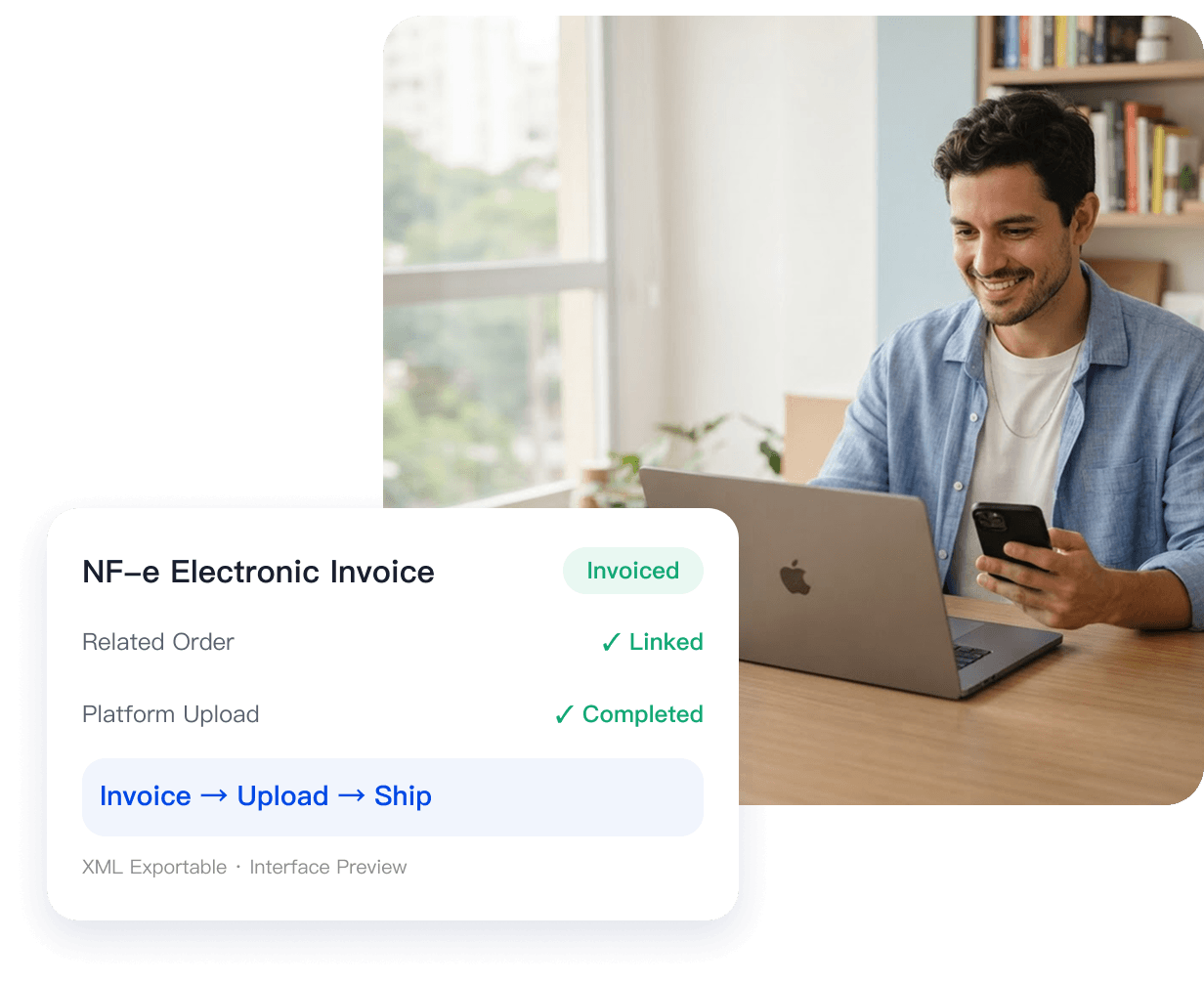
Brazil: once an invoice is issued, the system uploads it to the relevant platform automatically. You can then print the shipping label and arrange dispatch, keeping each invoice aligned with its order.

Manage the full invoice lifecycle, from issuance onward

Brazilian NF-e and DC-e, from issuance to export, seamlessly managed in one workspace.

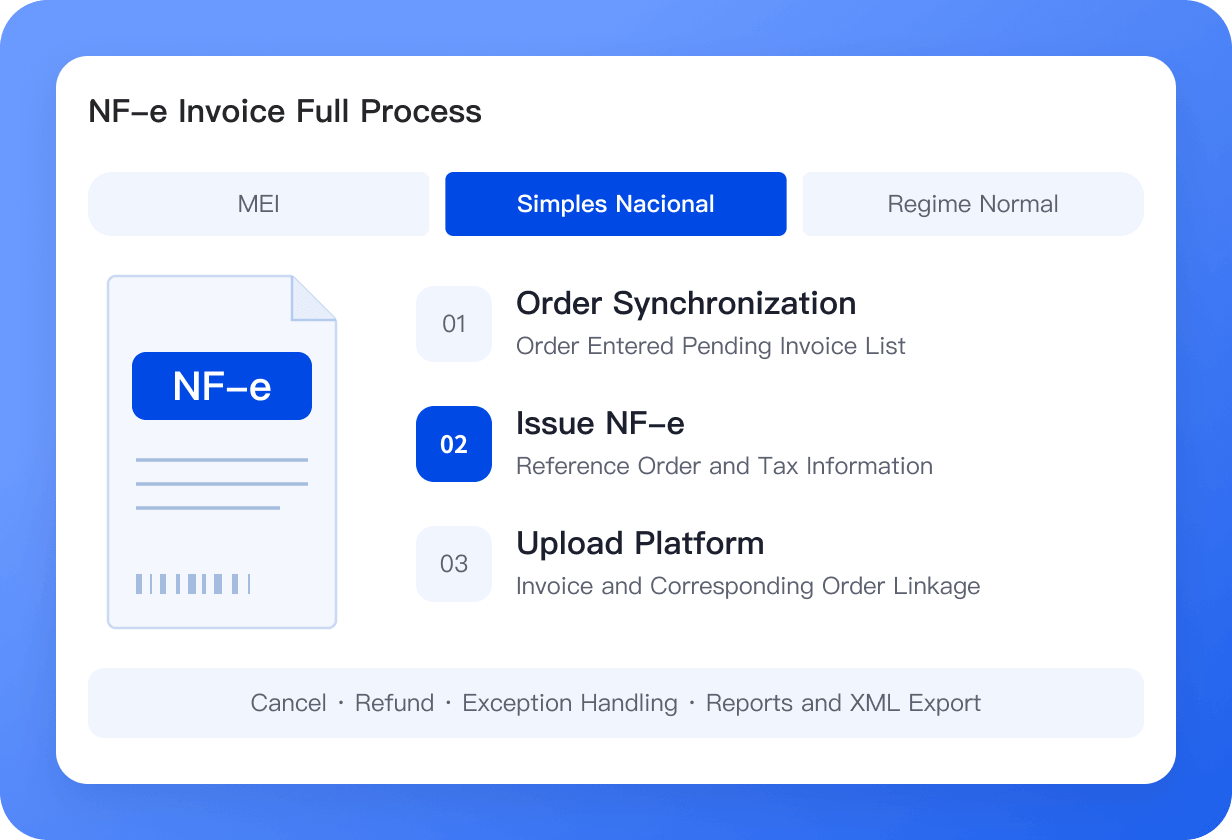
Manage the full Brazilian NF-e invoice workflow

Manage the full process, from creating an invoice account to issuing, canceling, returning, and exporting invoices, in line with local Brazilian tax rules.

  • Invoicing follows the order flow: orders enter the pending invoice list automatically, and issued invoices upload to the platform.
  • Three tax regimes supported: MEI, Simples Nacional, and Regime Normal.
  • Integrated with major platforms, including Amazon, Shopee, TikTok Shop, Temu, SHEIN, Magalu, and Mercado Libre.
  • Automatic invoicing: issue and upload invoices according to configured rules.

Complete orders and invoices in one system to eliminate duplicate manual entry.

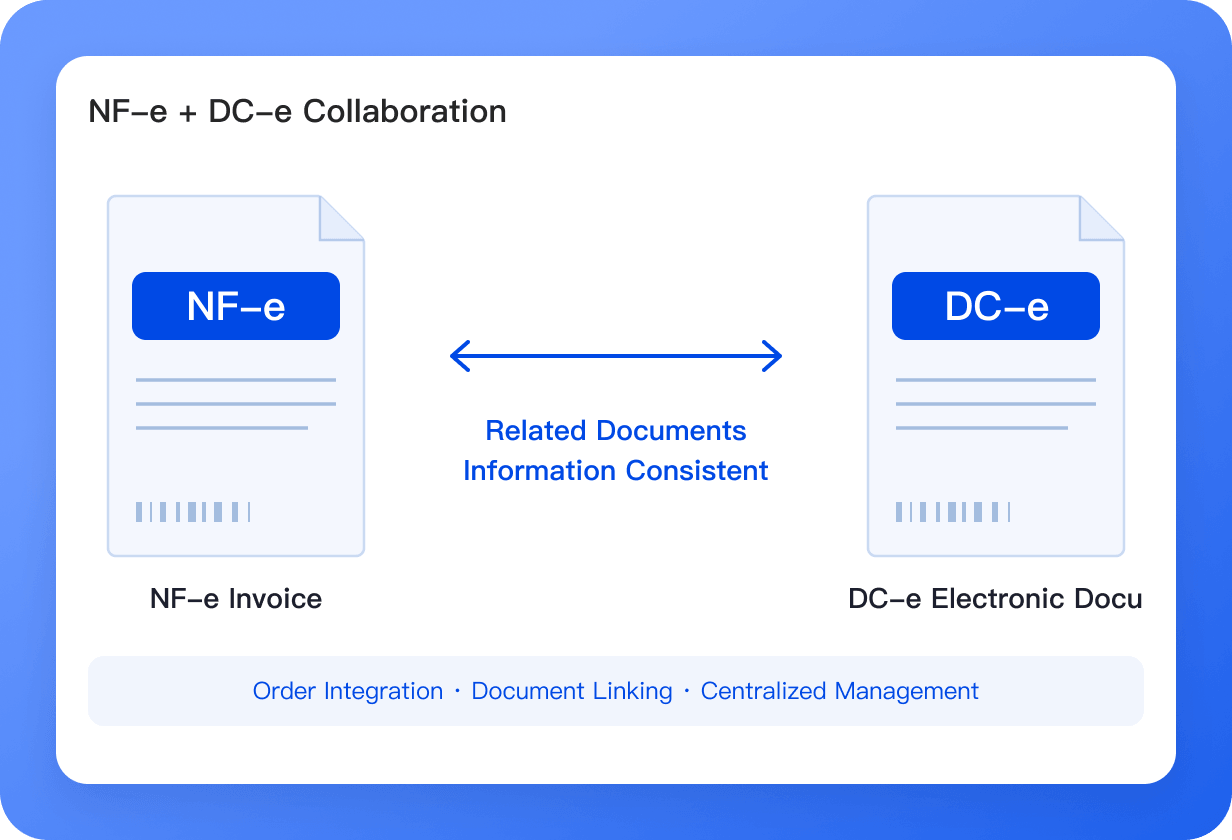
Brazilian DC-e electronic documents

Alongside NF-e, UpSeller supports Brazilian DC-e electronic documents for compliance across different goods and scenarios.

  • Connected to order processing: manage DC-e alongside NF-e in the order workflow.
  • Generated in connection with NF-e: keep document information consistent.
  • View and manage documents in one place without switching systems.
  • A complete Brazilian market workflow: manage NF-e and DC-e together.

Bring Brazilian invoices and shipping documents together in one workspace.

Mexico CFDI Invoice Management

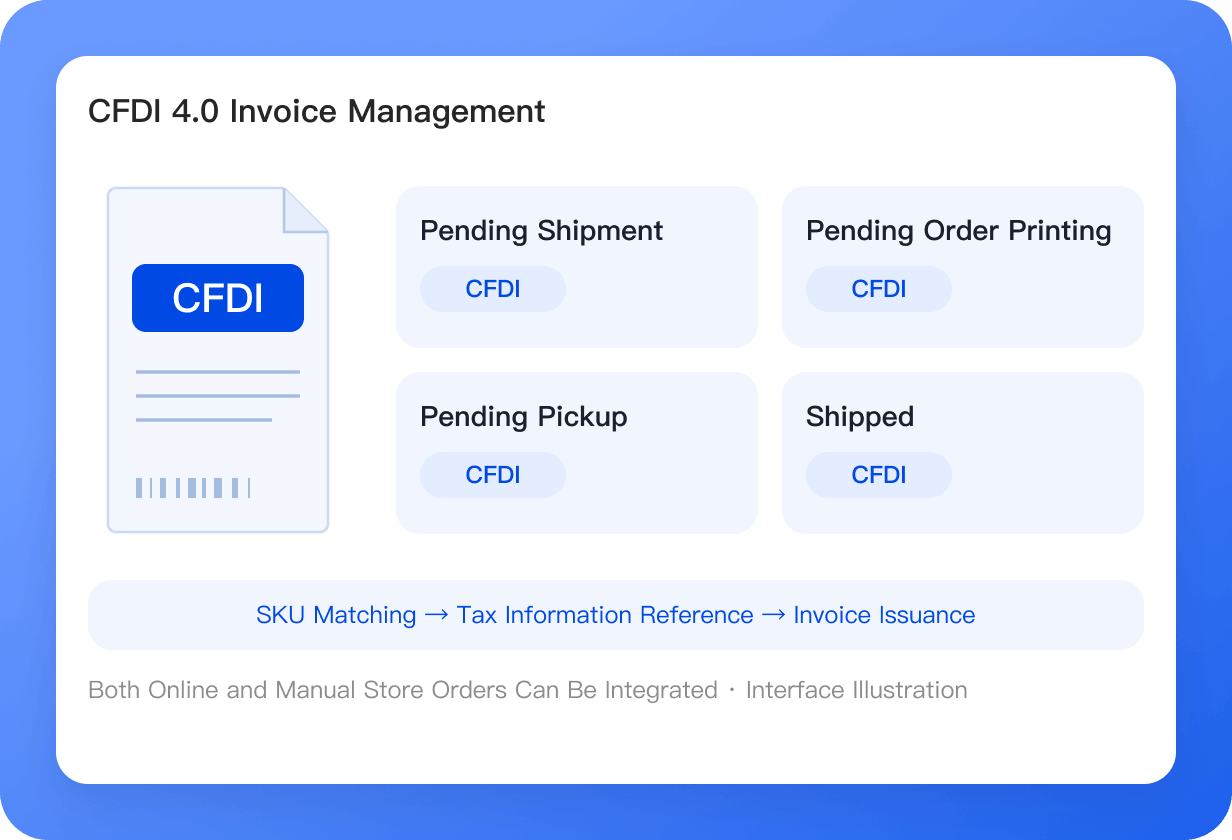
Manage the entire CFDI 4.0 e-invoicing lifecycle, from issuance and cancellation to export, in compliance with Mexico's SAT tax regulations.

  • One-click invoicing across all order statuses: Issue invoices for orders awaiting shipment, labels, or pickup, as well as shipped orders. Successfully invoiced orders display a blue CFDI label.
  • Link multiple stores to one account: Unbind or switch store bindings at any time.
  • Smart tax information reuse: Automatically apply tax information after SKU matching, with no repeated entry required.
  • Offline orders supported: Issue invoices for manual orders and orders from physical stores.

Make compliant operations a core competitive advantage in the Mexican market.

Smart tax information management

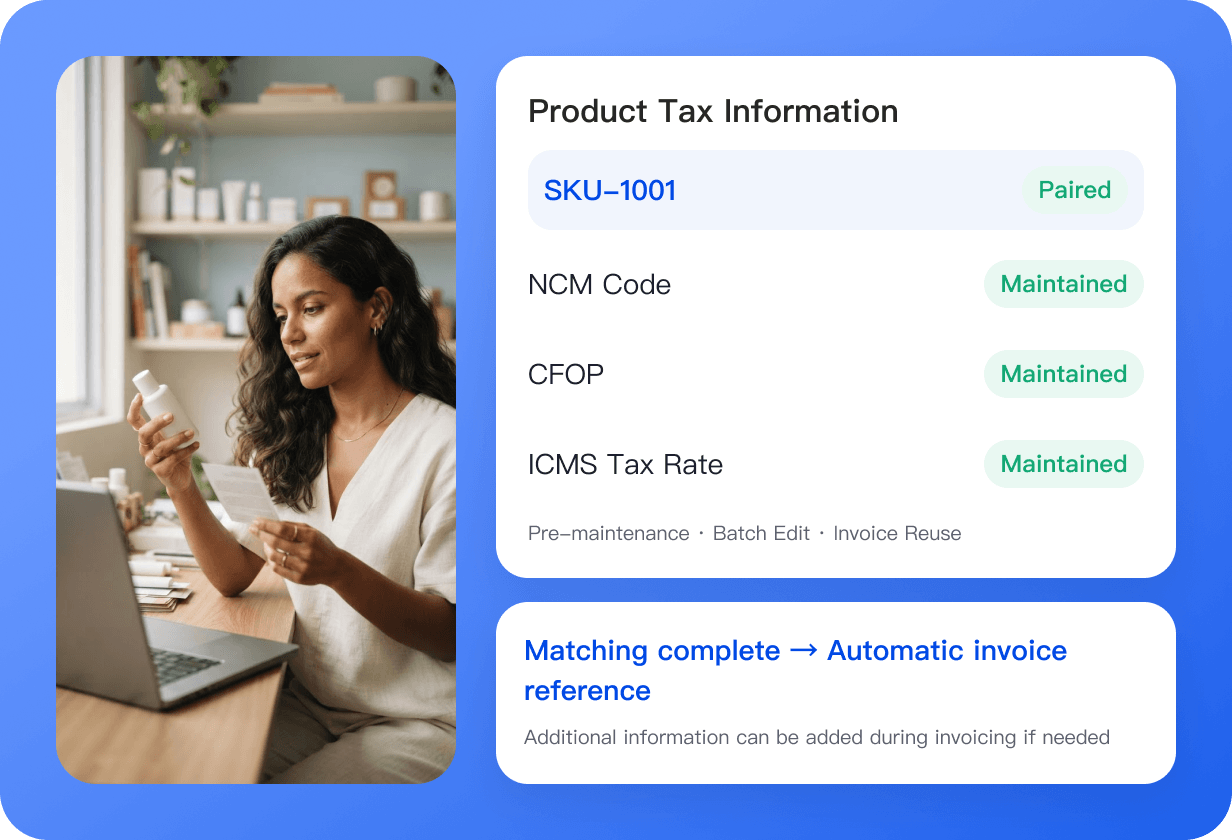
Maintain product tax information in advance and reference it automatically when invoicing to reduce repeated entry and human error.

  • Maintain product tax information in advance: enter details such as NCM, CFOP, and ICMS rates.
  • Automatic SKU linking: use matched product details when issuing invoices.
  • Bulk editing: process large product catalogs more efficiently.
  • Edit when issuing an invoice: add missing details in a dialog.

Maintain tax details once and reuse them for each invoice to avoid repeated entry and errors.

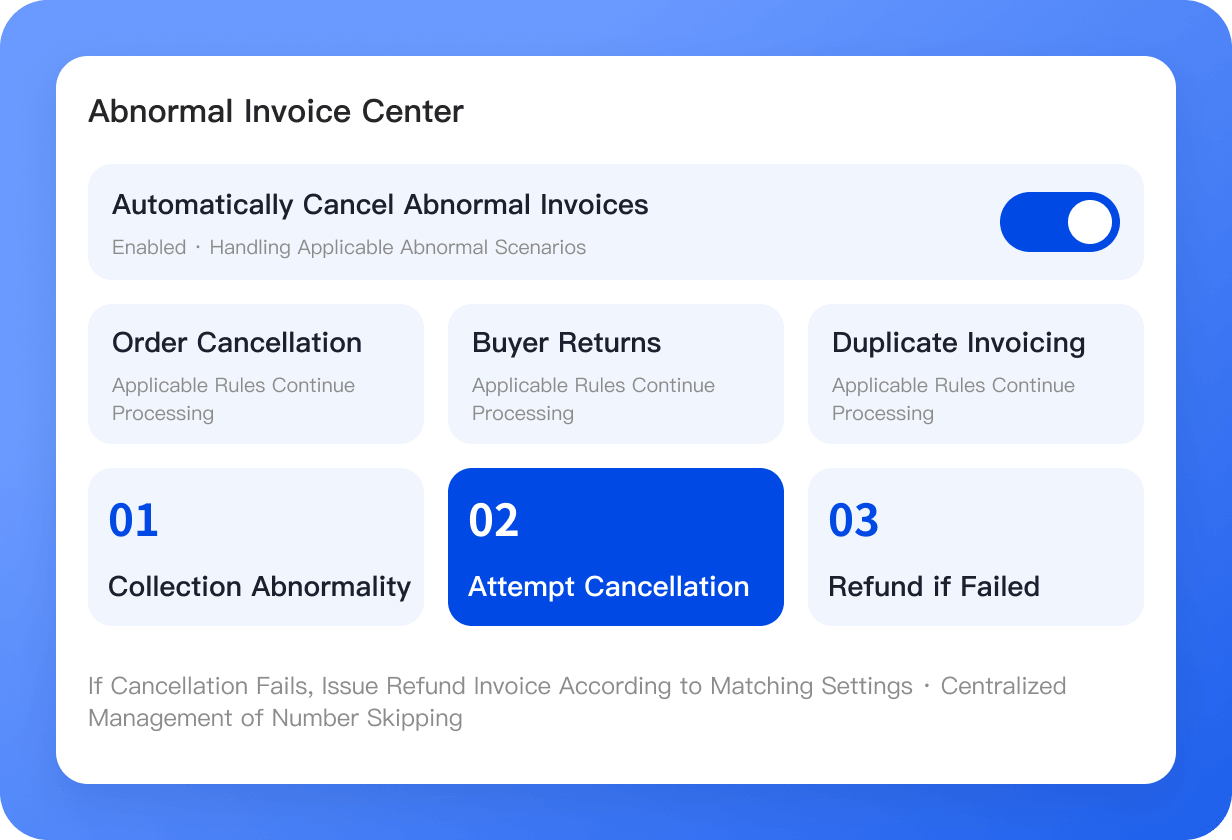
Automatic handling of invoice exceptions

Manage and automate invoice exceptions for canceled orders, returns, duplicate invoicing, and more.

  • Exception invoice center: cancel or return invoices in bulk.
  • Automatic cancellation of exception invoices: one setup can continuously handle canceled orders, returns, and similar cases.
  • Issue a return invoice automatically if cancellation fails: related options help prevent omissions.
  • Four exception scenarios covered: canceled orders, buyer returns, duplicate invoices, and skipped invoice numbers.

From handling each case manually to one setup that keeps working

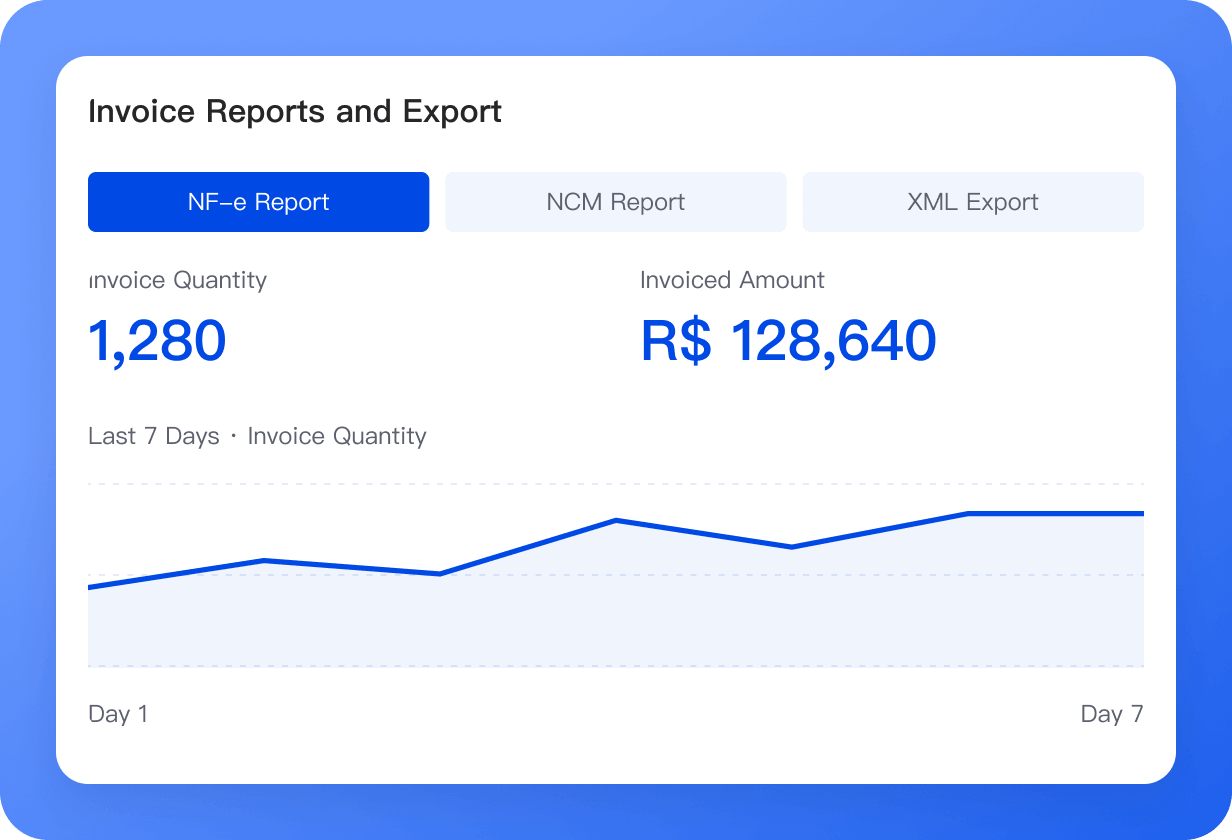
Simplify tax reporting with invoice reports and XML exports

At month end, use NF-e and NCM reports to review invoice and product data, and export XML files in bulk by different dimensions.

  • NF-e report: quickly review invoice counts and issued amounts.
  • NCM report: support tax filings, product mix analysis, and compliance checks.
  • XML export by dimension: export by invoice account, invoice list, and more.
  • Bulk processing: support month end tax reporting.
  • Hand files directly to your accountant: export in one click without manual compilation.

Review the data in reports and deliver compliant XML files for monthly tax reporting.

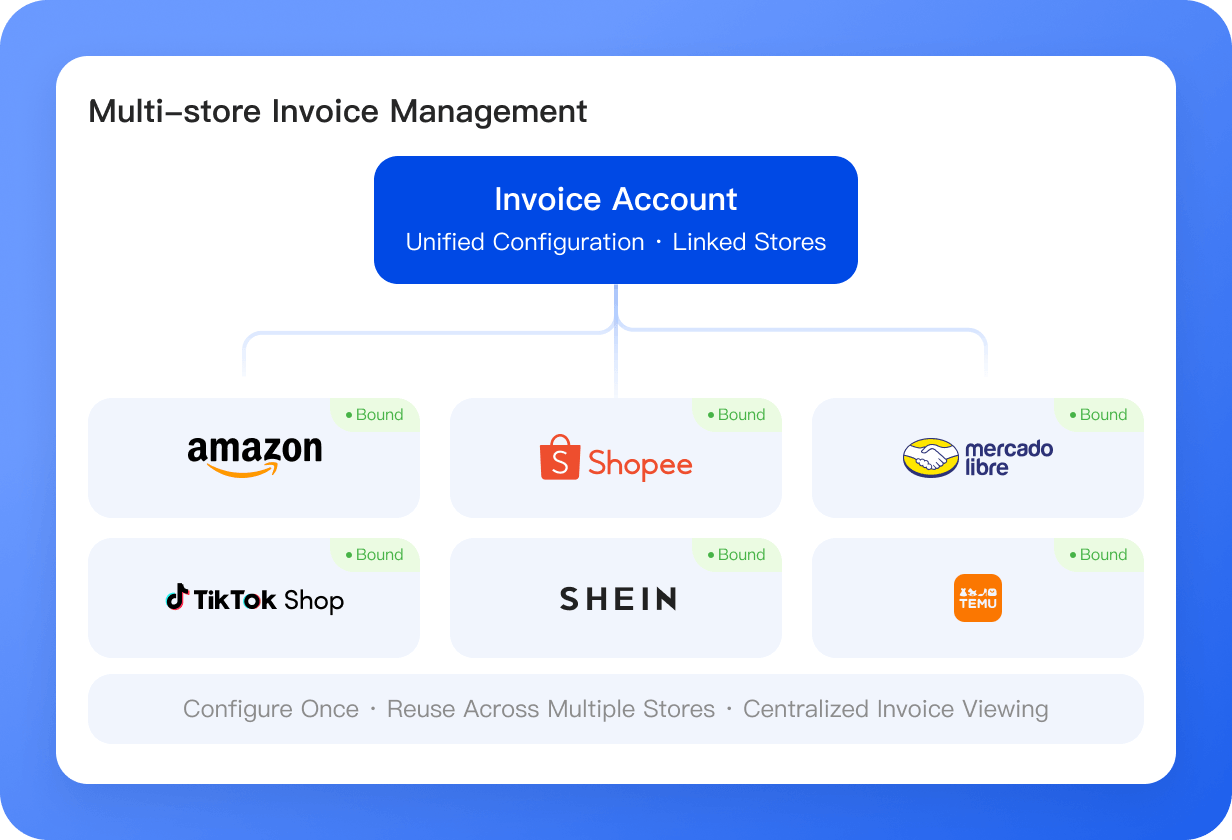
Manage invoices across multiple stores in one place

Connect one invoice account to multiple stores and manage invoicing across platforms without repeated setup.

  • Brazil supports 200 store bindings: one invoice account can connect to multiple stores for centralized invoicing
  • Works across platforms, including Amazon, Shopee, TikTok Shop, Temu, SHEIN, Magalu, and Mercado Libre.
  • Central management: view and manage all store invoices in one module.

Set up once and reuse across stores to support multistore operations.

Turn compliant invoicing from a cost center into an efficiency driver

  • Issue invoices much more efficiently

    Complete orders and invoicing in one system, eliminating duplicate entry. Bulk invoicing, automatic invoicing, and automatic uploads substantially reduce repetitive work.

  • Reduce tax compliance risk

    System checks reduce manual entry errors, automatic handling reduces missed exceptions, and standardized XML exports provide records for tax reconciliation.

  • Close the month more efficiently

    Invoice data is archived automatically and stored by month. Export XML files in bulk so accountants can access the files without repeated month end compilation.

  • Operate multiple stores more flexibly

    Manage multiple stores with one invoice account. Bind a new store and start invoicing without repeating setup.

Frequently Asked Questions (FAQ)

About invoice types, invoicing preparation, multistore bindings, and XML exports.

UpSeller supports Brazilian NF-e and DC-e invoices. NF-e applies to platform orders and resale buyers, while DC-e applies to manual and offline orders.

400,000+ E‑commerce sellers' choice

Sign Up for FREE
Talk to us
Feedback
Back to top